Digitising Historical Maps: Testing AI-Assisted Contour Tracing in QGIS

Can an AI-assisted QGIS plugin actually speed up contour digitising, or does it just move the work around? We tested it on a small sand mine in Poland, comparing the present-day land surface with a survey from the first half of the 20th century of the same ground.
Digitising historical topographic maps is a familiar task for many GIS analysts. Tracing contour lines by hand from a scanned map can be slow, repetitive, and easy to get subtly wrong. A QGIS plugin promises to automate the tracing step using computer vision and, increasingly, AI assistance. ArchaeoTrace is one of them, and we used it to rebuild the terrain history of a small sand-mining site in Poland across roughly a century.
What ArchaeoTrace actually does
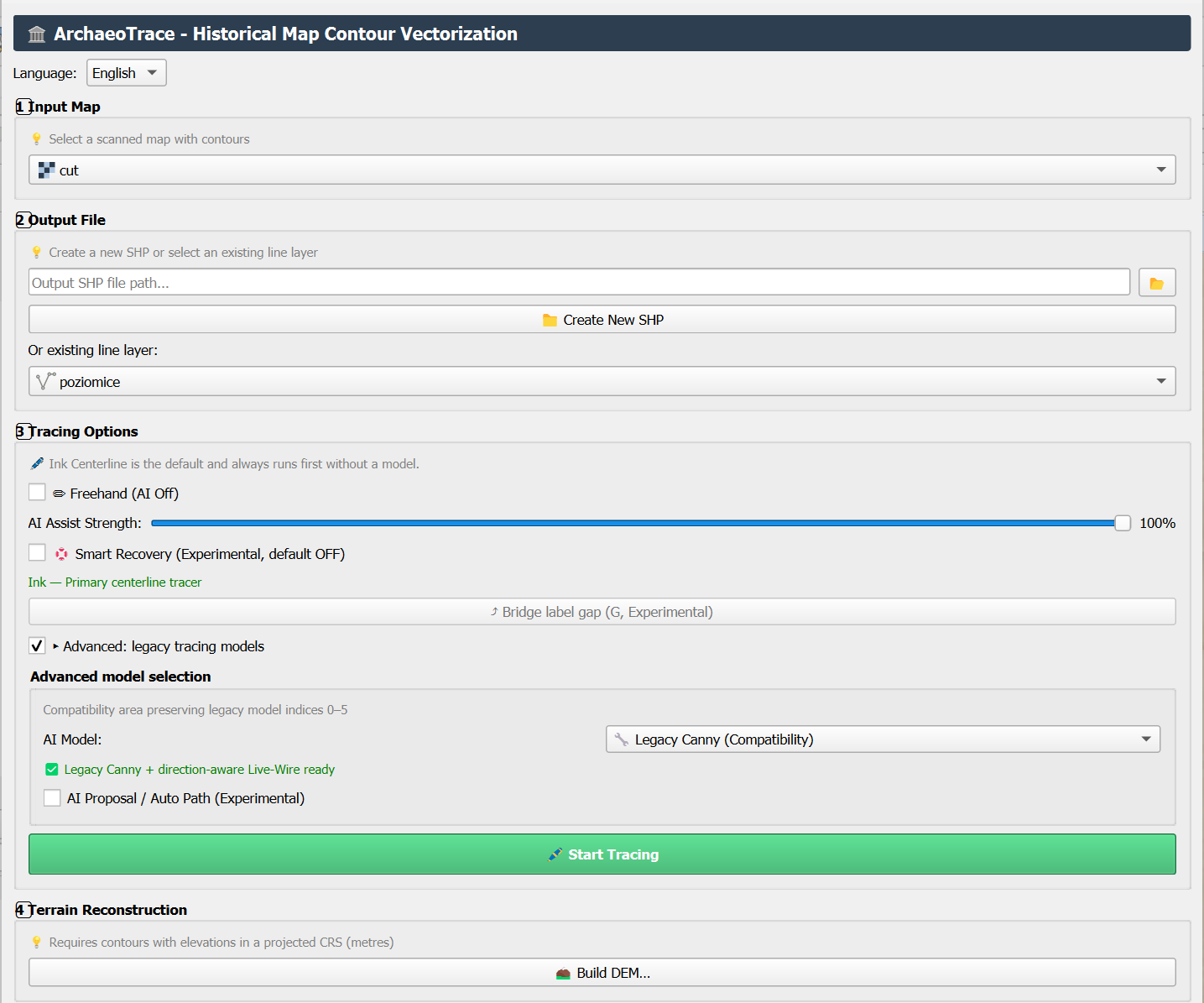
ArchaeoTrace is a QGIS plugin built for pulling vector lines out of scanned topographic maps, designed primarily for archaeological and historical cartography. It bundles several tracing methods rather than a single algorithm. Having several tracing methods matters because different scans respond better to different approaches.
- Ink Centerline, run at three scales (9, 15 and 31 pixels), follows a drawn line and stays on its centre.
- Live-Wire, a bounded, direction-aware path tool (320px reach) that snaps to the strongest nearby edge as you sketch.
- A cursor-to-path blend slider (0-100%) lets the operator decide how much to trust the automated trace versus their own hand movement, rather than accepting an all-or-nothing result.
- An optional Smart Recovery mode calls a lightweight segmentation model (EfficientSAM-Ti) to help bridge gaps where a contour line is faint or interrupted on the scan.
- Freehand drawing and a set of legacy and advanced methods (LSD, HED, MobileSAM, SAM ViT-B, Canny) are available for maps where none of the above behave well.
- Traced lines can carry elevation attributes and spot heights, and the plugin can generate an experimental linear-TIN DEM plus hillshade directly from the digitised contours.
All of this runs locally, with no data sent to a remote server for inference. The plugin’s baseline install targets QGIS 3.22 and Python 3.8 with no additional pip packages; the optional AI-assisted methods need a Python 3.10+ environment with extra dependencies installed, which is worth checking.
The case study: a sand mine in Poland, three time periods
To see what the plugin is actually good for, we picked a small sand-mining site. We reconstructed its surface at three stages – before mining, during extraction, and today – across roughly a century.

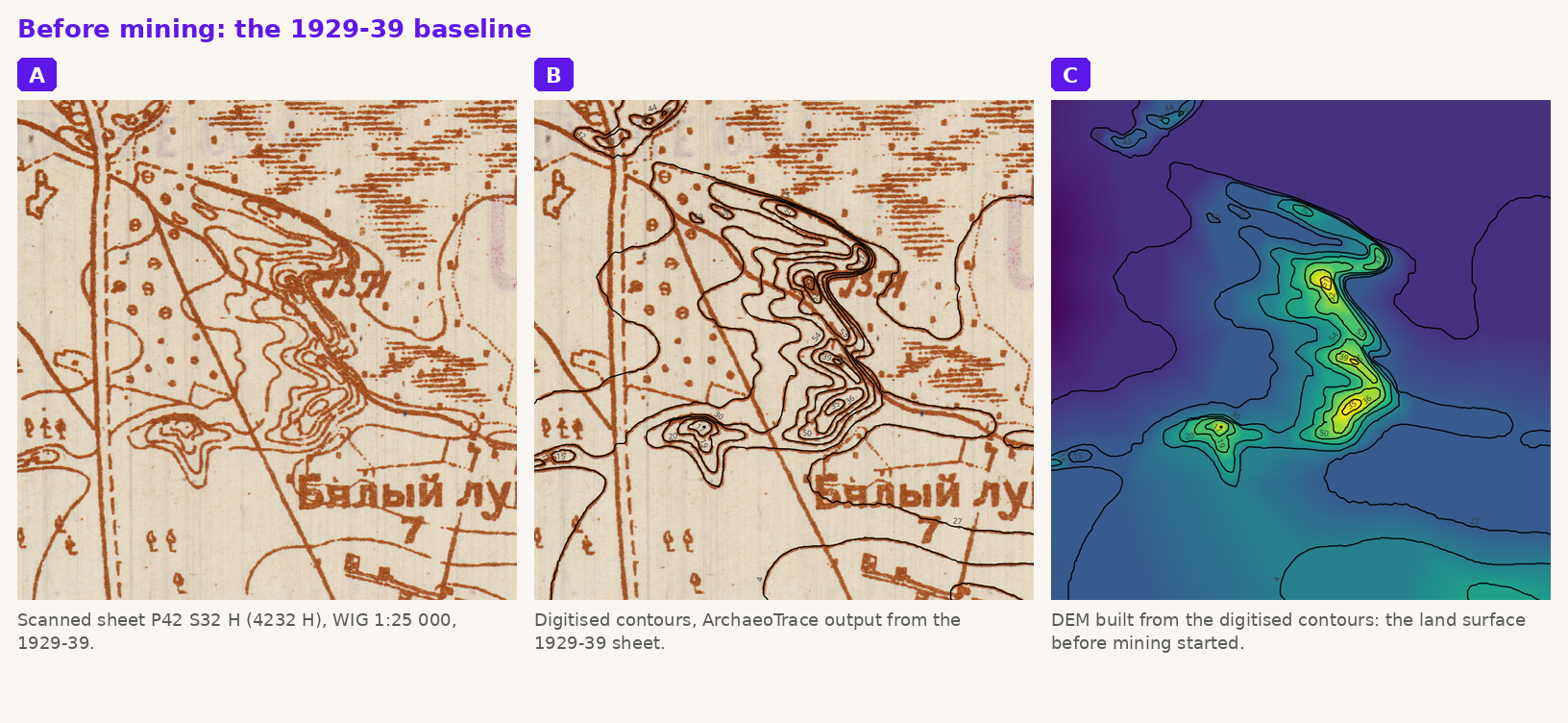
Before mining: the 1929-39 baseline. The earliest source is sheet P42 S32 H (also catalogued as 4232 H), part of the WIG (Wojskowy Instytut Geograficzny) 1:25 000 series, Mapa Szczegółowa Polski, surveyed in the interwar period. Sheets in this series were compiled from a mix of fresh Polish fieldwork and older base survey data in less-mapped areas, which is why some of the underlying linework on this sheet still carries Cyrillic place names from an earlier Imperial Russian survey.
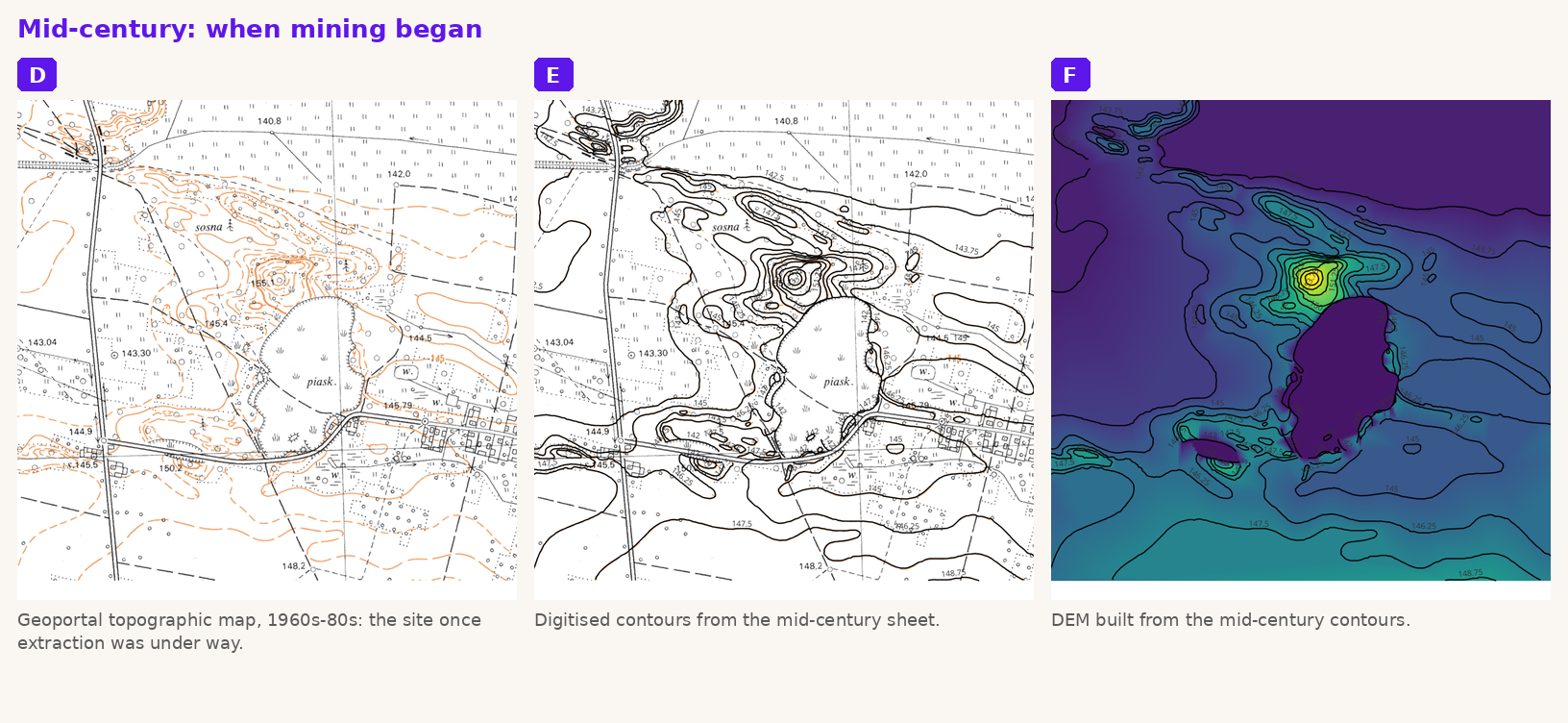
Running ArchaeoTrace over this scan produced a set of digitised contours, which we then used to build a linear-TIN DEM of the ground before mining began.
Mid-century: when mining began. A Polish Geoportal topographic map from the 1960s-80s shows the same area once sand extraction was underway. Digitising this sheet and rebuilding a DEM from it gives a second surface, roughly midway through the site’s working life.
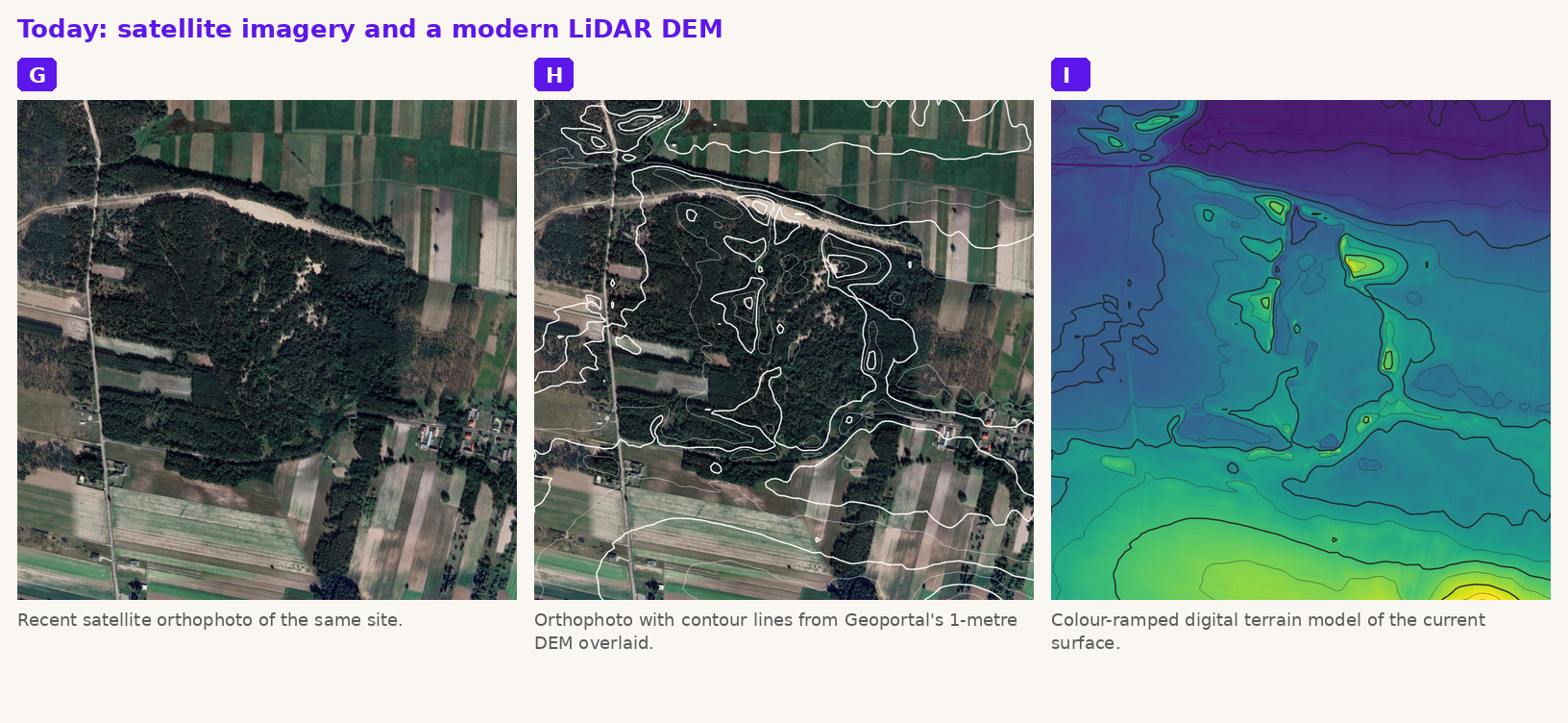
Today: satellite imagery and a modern LiDAR DEM. For the present-day surface, we didn’t need to digitise anything by hand. A Google satellite orthophoto shows the pit and surrounding land directly, while a 1-metre LiDAR-derived DEM provides an independent elevation model for checking the historical reconstructions.
Drag the slider: pick any two time slices
The interactive tool below holds all three DEMs on the same colour ramp: pre-mining (1929-39), mid-century (1960s-80s, once extraction was under way), and today. Use the dropdowns to choose which two to compare, then drag the divider. The depression left by extraction is unmistakable once any two surfaces sit side by side.
| Period | Source | Elevation model |
|---|---|---|
| 1929-39 | WIG 1:25 000 sheet P42 S32 H (4232 H) | Linear-TIN DEM from digitised contours |
| 1960s-80s | Geoportal topographic map | Linear-TIN DEM from digitised contours |
| Present day | Google satellite orthophoto; Geoportal 1 m LiDAR | LiDAR-derived DEM |
Where it struggles
None of the tracing methods worked equally well on both historical sheets straight out of the box. The oldest scan, with its finer, more irregular hand-drawn contour lines, needed a different combination of scale and blend settings than the cleaner, more mechanically-drawn mid-century Geoportal sheet. There is no single setting that suits every map, and the plugin does not pretend otherwise.
- New users have to experiment across the available algorithms (and the multi-scale settings within Ink Centerline) to find what works for their specific map; there is no shortcut to that trial-and-error step.
- The optional AI-assisted methods bring real dependency weight: a Python 3.10+ environment and extra packages beyond QGIS’s own baseline, which is friction for anyone trying to reproduce results on a locked-down institutional machine.
- The plugin’s own documentation is candid about this: as it puts it, “terrain outputs are reviewable hypotheses rather than archaeological ground truth.” That line is worth taking at face value rather than as boilerplate caution.
The automated traces we reviewed still required correction, whether that meant nudging a vertex back onto a contour it had slid off, or closing a gap the software had left where the historical ink had faded.
The verdict
ArchaeoTrace is a useful tool for speeding up the slow part of digitising old maps. It reduced the time needed to produce a first-pass set of contour vectors. For anyone rebuilding terrain history from archival maps as a recurring task rather than a one-off, that time saving adds up fast.
Manual review and correction are essential before relying on the resulting DEM for anything consequential. Automated tracing shaves hours off the first draft. It does not replace the second pair of eyes.
Sources
- ArchaeoTrace plugin (QGIS), GitHub: AI-Vectorizer-for-Archaeology README
- WIG 1:25 000 Mapa Szczegółowa Polski, sheet P42 S32 H (4232 H), 1929-39
- Geoportal.gov.pl: historical topographic map series and 1-metre LiDAR DEM
- Google satellite imagery
Did you like this post? Read more and subscribe to our monthly newsletter!


#Fun


Next article


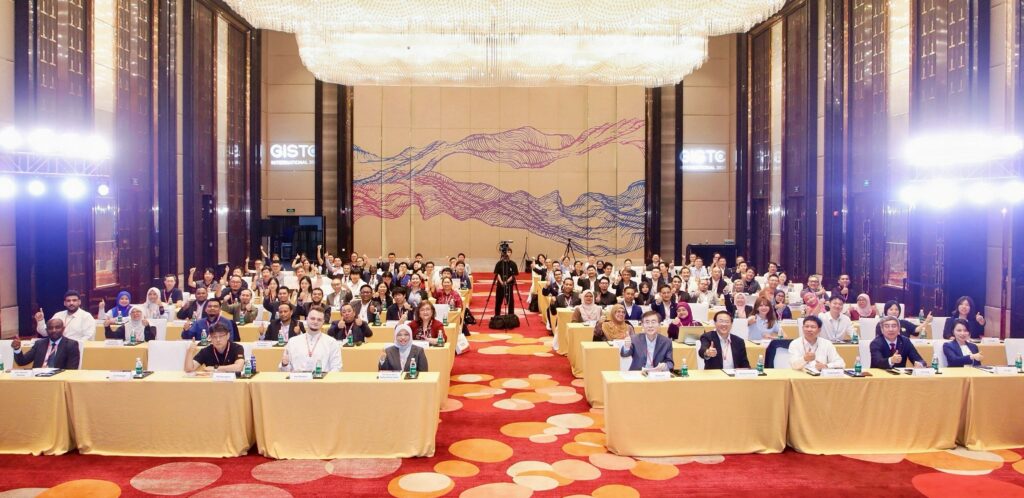
Participants at the inaugural GISTC International in Haikou, China. Image: GISTC International 2026 press material.
AI is changing how we work with geographic information. For GIS teams, the next step is making it useful in everyday projects: updating land records, managing urban infrastructure or improving disaster warnings. That was the focus of the first GISTC International, held in Haikou, China, from 19 to 22 October 2026.
Organized by SuperMap, the Geospatial Intelligence Software Technology Conference International brought together more than 120 experts, industry leaders and researchers from nearly 15 countries, according to the organizers. The event was supported by the United Nations Global Geospatial Knowledge and Innovation Centre and the International Federation of Surveyors (FIG).
International experience with practical GIS projects
Participants from countries including South Korea, Australia, Greece, Brazil, Malaysia, Thailand, Nigeria, Ghana and Indonesia shared experience from national projects. Discussions covered GeoAI, geospatial data infrastructure and the challenges of making these technologies accessible to more organizations.
This is where an international conference can be particularly useful. A land administration team in one country may face many of the same data and coordination problems as a team elsewhere. Comparing approaches helps practitioners understand what they could apply at home, and what would need to change. The mix of countries gave GISTC a useful starting point for those conversations.
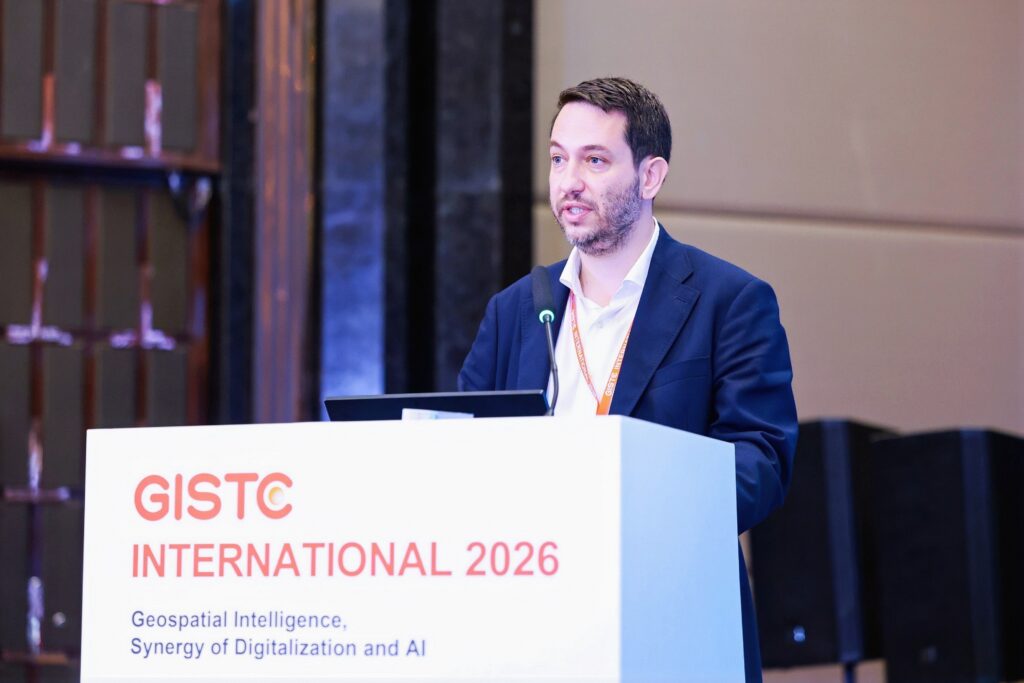
Michalis Kalogiannakis, Vice President of the International Federation of Surveyors (FIG), delivers a presentation.
From GIS tools to geospatial AI agents
SuperMap outlined its direction for combining AI and GIS, including a move toward AI agents with geospatial capabilities. The company also described its I-DAKA framework, a five-layer approach to applying digital and AI technologies.
For practitioners, the interesting part is what this could mean for their work. AI agents could help users carry out GIS tasks more easily, but their value will depend on reliable results and how well they fit existing workflows. Bringing software developers and people responsible for delivering projects into the same room creates an opportunity to discuss those requirements directly.
Time to learn and apply the technology
The program included four parallel forums and an International GIS Workshop, combining discussion with practical training. Topics ranged from land administration and urban planning to water resources, energy and disaster risk. For people choosing where to spend their conference time and budget, that combination offers a clear benefit: a chance to understand the technology and develop the skills to use it.
SuperMap also described its growing international portfolio of industry solutions. According to the company, its software supports projects in Southeast Asia, the Middle East, Latin America and Africa, including AI-assisted mapping, cadastral reform, digital twins and environmental monitoring. These applications give the conversation a concrete basis, especially for organizations working on similar projects.
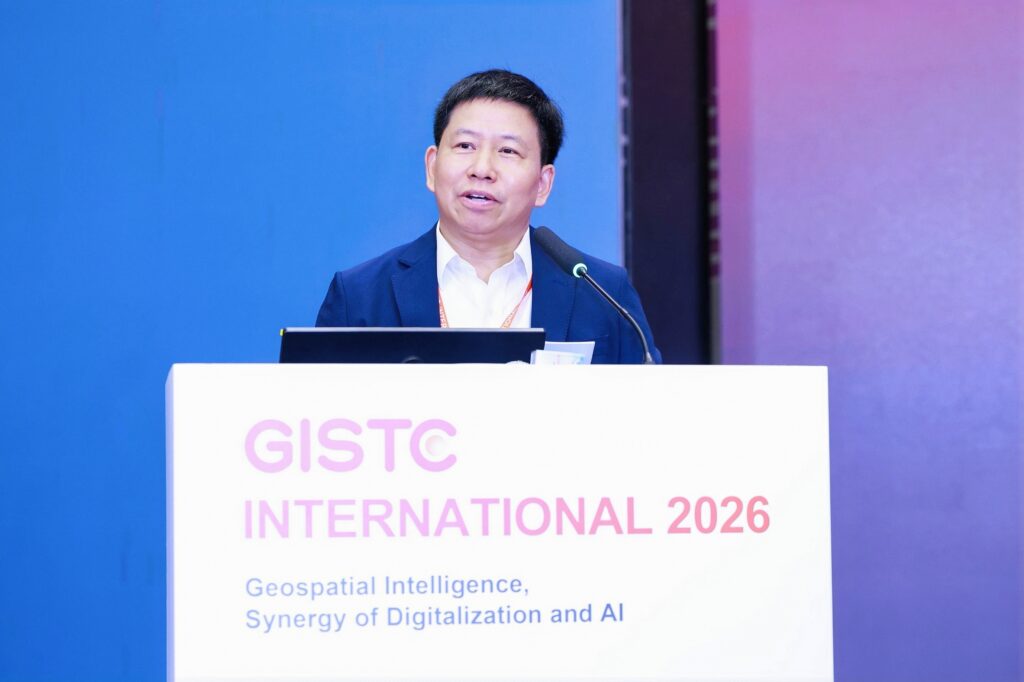
Song Guanfu, Chairman and CEO of SuperMap, addresses the conference.
Put GISTC on your 2027 radar
GISTC International has made a promising start. Its combination of international project experience, software development and practical training gives GIS professionals a reason to follow what comes next.
As you plan your conference calendar for 2027, keep GISTC International in mind. The first edition suggests it could become a useful meeting point for people applying GeoAI in government, infrastructure and natural resource management. Dates for a 2027 edition are still to be confirmed, so watch for the next announcement.
Follow updates on the official GISTC International website.